Brand guardrails and look in CustomIQ — logo, visual mode, video look, link policy
2:06 · Published 2026-10-19
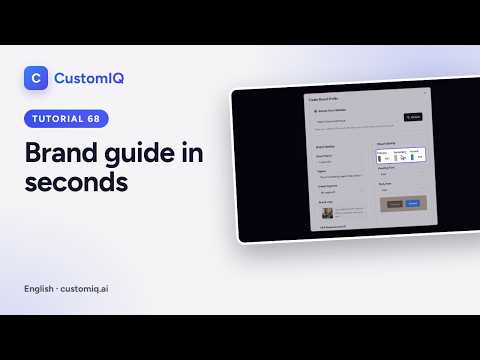
In CustomIQ the brand profile also sets the guardrails and look of every creative: competitors that guide your organic topics, a link policy that blocks or allows websites, your logo on every image and video, the visual mode, a video look, client logos and reference ads. Edit the brand in Brand Profiles and press Update Profile.
Transcript
Read the full transcript
0:00Introduction
In this tutorial you'll fine-tune your brand guide, the guardrails and the look every creative follows. In Brand Profiles, edit your brand.
0:15Competitors and link policy
Under Competitors, add up to five Instagram or TikTok accounts. CustomIQ analyses their recent posts to choose better topics for your organic content. The link policy controls which websites your AI content may link to or mention. Allow everything except a block list, or only allow the websites you list. Add a domain, and links to it are removed from captions, replies, articles and emails.
0:49Logo and visual mode
Turn on Logo on creatives, and your logo is added to every image, the first slide of carousels, and every scene of your videos. Visual mode decides how images are made. Photo uses AI photography. Typographic turns every image and carousel into text cards in your fonts and colours, with no photos or people.
1:13Video look and references
Video look is your visual personality in videos, from shape and type to motion, captions and pace. Pick a style to start from. The preview shows exactly how your cards, graphics and captions will look. Confirm it when you like it. Client logos appear as social proof when a video edited as an ad mentions your clients. And reference ads teach the AI the editing style you like, its pace, typography and transitions, never the content.
When you're done, press Update Profile. As this is a demo, we cancel without saving. Set these once, and every ad, post and video CustomIQ makes looks and sounds like your brand.
More videos
 1:23
How to create an AI avatar to present your content — no photo shoots (CustomIQ)
 1:17
How to build your brand guide from your website in seconds with CustomIQ
 1:26
The CustomIQ content calendar — see, filter and improve your scheduled posts
 1:40
The two ways to work in CustomIQ, the IQ chat and the dashboard
 2:05
The CustomIQ guided tour, video tips and how to replay them
 1:28
Get around CustomIQ fast — Home, search (Ctrl K) and Activity & Runs